Talk & Translate AI Translator
MobiSystemsBooks & Reference
4.5752.00 Reviews
- Version
- 14.7.869
- Installs
- 5.00M
- Age Rating
- Everyone
Screenshots
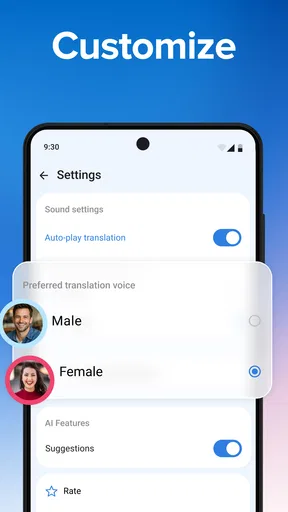
Our Review of Talk & Translate AI Translator
 Analysis by Appyee
When I’m trying to make sense of a menu, a short message, or a conversation in another language, I want a translator that lets me choose the quickest way to work: typing, speaking, or using a photo. Talk & Translate AI Translator brings those options together, with offline translation as another useful part of the package. It is a free Books & Reference app from MobiSystems, and its mix of tools makes it especially relevant for travel and everyday language help. I would treat it as a practical companion, though, rather than a replacement for a fluent speaker or careful professional translation.
What it is like to use day to day
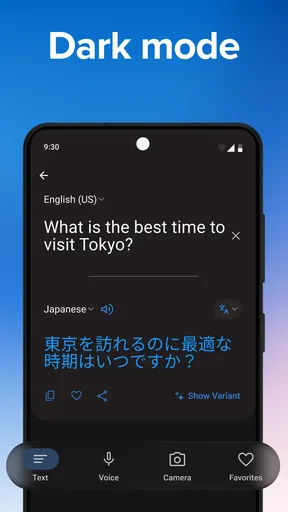
The app’s appeal is the choice of input. If I know what I want to say, typing is direct; if my hands are occupied or I need to communicate aloud, voice is more convenient; and when the words are printed on a sign or menu, a photo can save the effort of entering them one by one. The store summary describes coverage across more than 100 languages, which gives the app a broad role for travelers and people who regularly encounter different languages.
That flexibility is useful in small, ordinary moments rather than only dramatic travel emergencies. Imagine arriving at a café, pointing the camera at a menu, and checking the translation before ordering. If the waiter asks a follow-up question, switching to voice can help you respond without composing every sentence on a small screen. I find that kind of back-and-forth more practical than relying on a single translation mode, especially when the source material changes from printed text to spoken conversation.
Choosing the right translation method
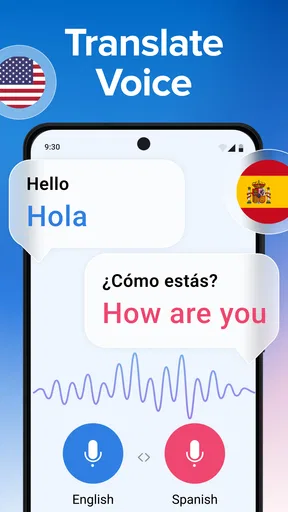
Voice translation is at its best when the exchange is short and the speakers take turns. I would keep sentences simple, pause between thoughts, and check the translated wording before using it for anything important. Accents, background noise, fast speech, and local expressions can all make a spoken translation less dependable. A phone can help bridge a basic communication gap, but it cannot reliably read social nuance or guarantee that a delicate request sounds polite in context.
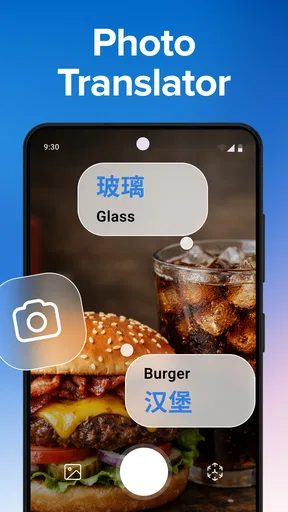
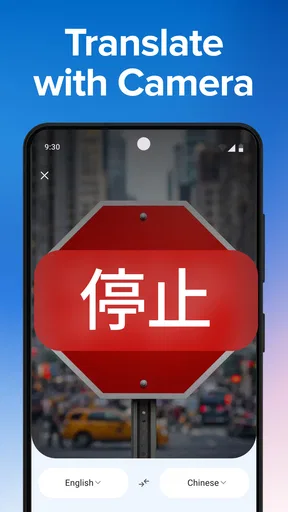
Photo translation has a different strength: it reduces typing when text is already in front of you. For a clearer result, I would frame one section at a time, keep the phone steady, and avoid shadows or glare. A menu with decorative lettering or a sign partly covered by another object may be harder to interpret than clean, printed text. When the translation seems odd, taking another photo or typing the key phrase can be a sensible cross-check rather than assuming the first result is correct.
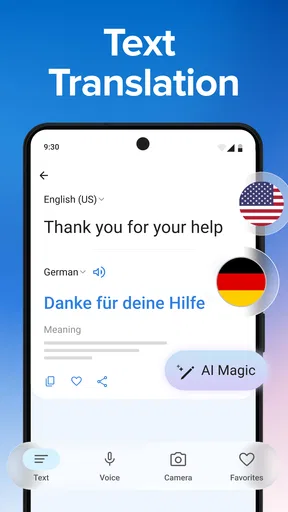
Text input remains the better choice for anything you want to review carefully. It lets you edit spelling, remove irrelevant words, and compare the translated result before sharing it. I’d use that approach for a short note to a host or a simple travel question, while reserving voice for quick exchanges and the camera for printed material. Having all three methods available makes it easier to adapt instead of forcing every situation into the same workflow.
Where the features help—and where judgment still matters
I find the most useful way to judge these tools is to separate a quick translation from a decision that depends on exact wording. A camera or voice input can save time, but I still slow down when the result will guide an important choice. That balance is what I’ll keep in mind when considering how the different features fit real situations.
Offline access takes preparation
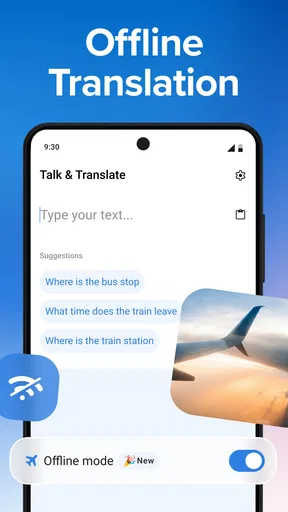
Offline use can matter when a connection is unavailable or unreliable, but it is not something I would leave until I am already standing in a place with no signal. The useful habit is to prepare before travelling: open the app while connected, identify the languages you expect to need, and make sure the relevant offline resources are ready. Offline translation is most reassuring for planned basics, such as reading common signs or asking a simple question. If a language is unfamiliar or the wording is consequential, I would still seek a second check when I can get one.
There is a practical trade-off here. Offline access can make a translator more dependable in a disconnected moment, but downloaded language resources take preparation and may not cover every situation equally well. I would not assume that offline and connected translation behave identically. Before depending on it for a trip, I’d try a few representative phrases in the language I plan to use, while I still have a connection and time to adjust.
A useful companion, not a complete language course
The app can support language practice through pronunciation and phrases, which is helpful if your goal is to become more comfortable with everyday expressions. I’d use it to rehearse a greeting, a basic question, or a phrase I expect to need, then practice saying it aloud before the real interaction. That is a modest but worthwhile routine: it can help you approach a conversation with more confidence without pretending that translating a phrase is the same as learning grammar, listening skills, or natural conversation.
If your main goal is structured study, I would pair a translator with lessons or a course designed to build skills progressively. Translation tools are strongest when they solve an immediate communication problem; they are less suited to explaining why a sentence is built a certain way or helping you sustain a long conversation. For a traveler who wants useful phrases and quick checks, the learning tools are a bonus. For someone preparing for an exam or aiming for fluency, they should not be the whole plan.
How it fits beside familiar alternatives
Compared with a basic text-only translator, Talk & Translate’s attraction is the combination of spoken, typed, and photo-based input, with offline use as another option. That can reduce app-switching when a day moves from reading a sign to speaking with someone. A camera-first translation tool may feel quicker for a page of printed text, while a dedicated language-learning app is likely a better fit for regular lessons. I’d choose this app when I want a flexible translation toolkit, not because one app can be best at every language task.
It is also worth distinguishing casual understanding from high-stakes accuracy. For a restaurant order or a quick direction, a translation can be enough to keep things moving. For medical instructions, legal documents, financial terms, or a message where a small wording error could have serious consequences, I would not rely on an automatic result alone. Getting help from a qualified person or a trusted fluent speaker is the safer choice. The convenience of instant translation is real, but the responsibility to check important meaning remains with the user.
Cost, compatibility, and a sensible first test
The app is free to install, with in-app purchases listed from $3.99 to $39.99 per item. I’d start by testing the functions I actually expect to use before considering a purchase. For example, try a short typed phrase, a voice exchange in a quiet room, and a clear photo of printed text. Then test the language resources you may need offline. That small check gives a more useful sense of fit than assuming every feature will suit your own travel or study routine.
Its audience rating is Everyone, and it runs on Android 8.0 or later. Those details make it approachable for a broad range of users, but I’d still check that the device I plan to carry is compatible before relying on it away from home. The app has a 4.6 average from around 13,000 ratings and more than 5 million installs, signs that it has reached a sizeable audience. They can help set expectations about its popularity, but they do not guarantee that every translation will be right for every speaker or situation.
What the current version tells existing users
The current version is 14.3.817, so anyone already using the app can check whether their installed version matches before troubleshooting a feature or comparing screens. That number is a useful point of reference, but it does not by itself explain which features have changed or how the app has evolved over time. I would avoid treating a version number as proof that a particular workflow has been improved; the practical test is whether the tools you depend on behave well on your device now.
For an existing user, the best way to judge whether to keep it in the travel toolkit is to revisit the tasks that matter: can you enter a phrase quickly, can you understand the spoken result, and are the offline resources ready when needed? If those basics work for your languages and device, the app’s combination of modes may justify keeping it handy. If you mainly translate long documents or study a language systematically, a specialist tool may fit that job better alongside—or instead of—a general translator.
Remaining limits and what I would watch for
Translation quality depends on the words, the speaker, and the situation, so I would not expect a polished result from every input. Slang, jokes, fragments, and noisy surroundings are especially easy places for meaning to drift. A good personal workflow is to keep the request short, read the output before showing it to someone, and rephrase if the result seems strange. When the other person looks confused, try simpler wording rather than repeating the same sentence more loudly.
I would also pay attention to how well the app fits the way I travel: whether I can prepare offline access without fuss, whether switching between text, voice, and photos feels manageable, and whether the translated wording is clear enough for routine exchanges. Those are more useful things to watch than expecting a translator to remove every language barrier. The best result still comes from pairing the tool with patience, clear speech, and a willingness to confirm what the other person understood.
Who I would recommend it to
I’d recommend giving Talk & Translate AI Translator a try if you travel, communicate across languages from time to time, or want a convenient way to check phrases and printed text. It is particularly useful for people who value having several input methods in one place and are willing to prepare for offline use before a trip. It may be less suitable if you need certified translation, dependable interpretation for sensitive conversations, or a complete language-learning curriculum. In those cases, a professional translator, human interpreter, or dedicated learning program is the better choice.
Overall, I see it as a handy everyday bridge: flexible enough for a menu, a short conversation, or a phrase you want to practice, but still something I would use with judgment. Start with the languages and situations you care about, test the offline setup ahead of time, and check important wording rather than trusting it blindly. If that matches what you need, the range of ways to translate can make the app a useful travel companion without asking it to do a human expert’s job.
What’s the Buzz About?
So, what makes Talk & Translate AI Translator stand out in the sea of translation apps? First off, it’s not just your average translation tool. This app feels like that savvy friend who knows a bit of everything about every language. With support for over 100 languages, you’re pretty much covered whether you’re jet-setting to Tokyo or exploring the streets of Rome.
User Experience: As Easy as Pie
Let’s talk about the user interface. If you’re someone who gets overwhelmed with too many buttons and options, you’ll appreciate the clean and straightforward design. The home screen is intuitive, with options to translate text, voice, or even images. Yes, you heard it right—image translation. Just snap a picture of that confusing menu, and voilà, you’ve got yourself a translated version that’s easy to digest.
Voice Translation: Because Typing Is So 2019
One of the coolest features of this app is its voice translation. You just speak into your phone, and the app does the magic of translating and speaking it back in your language of choice. It’s like having a personal interpreter in your pocket. The accuracy is impressive, thanks to the power of AI. No more playing charades to get your point across!
Offline Mode: When Wi-Fi Is Just a Dream
Now, if you’re like me and find yourself in places where Wi-Fi is a mythical creature, the offline mode is a lifesaver. You can download language packs ahead of time, ensuring that you’re never left in the lurch when you need that crucial translation.
Learning a New Language: Your New Best Mate
Besides being a powerhouse for translations, Talk & Translate also doubles as a handy language learning tool. You can practice pronunciation and learn phrases, which is perfect for those who want to pick up a new language or polish their skills. It’s like having a language tutor without the hefty price tag.
Let’s Talk About Integration
The app offers seamless integration with other apps, making it super convenient for translating emails or social media posts. It’s like having a universal remote for all your language needs. Plus, the real-time translation feature is great for conversations with friends who speak different languages. No more awkward silences or misunderstandings!
Final Thoughts: Is It Worth It?
In a nutshell, Talk & Translate AI Translator is a powerhouse app that brings the world closer together. Whether you’re a frequent traveler, a language enthusiast, or just someone who loves to explore different cultures, this app has something to offer. It’s reliable, easy to use, and packed with features that make it a must-have on your phone.
So, if you’re ready to break down language barriers and communicate like a local wherever you go, give this app a whirl. Who knows, you might just surprise yourself with how much you can learn and connect!
Privacy and Permissions
See what permissions an app requests and how it handles your data.
- Phone
- read phone status and identity
- Camera
- take pictures and videos
- Microphone
- record audio
- Wi-Fi connection information
- view Wi-Fi connections
- Device ID & call information
- read phone status and identity
- Other
- view network connections, create accounts and set passwords, full network access, run at startup, draw over other apps, prevent device from sleeping, read Google service configuration
Verdict
Strengths of Talk & Translate AI Translator
- Highly accurate translations.
- Supports multiple languages.
- Easy-to-use interface.
- Real-time voice translation.
- Offline mode available.
Limitations of Talk & Translate AI Translator
- Ads can be intrusive.
- Limited features in free version.
- Needs internet for best accuracy.
- Occasional voice recognition errors.
- Heavy on battery usage.
Other Releases by MobiSystems
View All
File Commander Manager & Vault
Business4.2

MobiOffice: Word, Sheets, PDF
Business4.4

Mobi PDF・Editor・Scanner・Reader
Business4.4

OfficeSuite Pro + PDF
Business4.5
Similar Picks in This Category
View All
Google Play Books & Audiobooks
Google LLC4.7

네이버 - NAVER
NAVER Corp.3.5

Wattpad - Read & Write Stories
Wattpad.com3.7

King James Bible - Verse+Audio
Ozion4.8

Bible Offline-KJV Holy Bible
Bíblia Offline4.9

Amazon Kindle: Reading App
Amazon Mobile LLC4.8
Frequently Asked Questions
What languages does Talk & Translate AI Translator support?
Talk & Translate AI Translator offers support for over 100 languages, providing both text and voice translation capabilities. This extensive language library ensures that users can communicate effectively in most parts of the world, making it a versatile tool for travelers and multilingual communication.
Is an internet connection required to use Talk & Translate AI Translator?
While Talk & Translate AI Translator provides offline translation for a limited number of languages, a stable internet connection is recommended for the most accurate and comprehensive language support. Online features include real-time updates and access to the full language database.
Can Talk & Translate AI Translator be used for business purposes?
Yes, Talk & Translate AI Translator is suitable for business use, offering features like voice-to-text translation and document translation. These capabilities make it a valuable tool for international meetings, customer service, and global collaboration, enhancing communication efficiency across language barriers.
How accurate is the translation provided by Talk & Translate AI Translator?
The app utilizes advanced AI technology to provide high accuracy in translations. However, accuracy can vary based on language complexity and context. Regular updates help improve translation precision, but users should be aware that cultural nuances might not always be perfectly captured.
What are the privacy policies of Talk & Translate AI Translator regarding data usage?
Talk & Translate AI Translator takes user privacy seriously, implementing strong encryption to protect data. The app collects minimal personal information and users can choose to opt-out of data tracking where possible. It's advisable to review the privacy policy thoroughly to understand data handling practices.
